Streaming Milestone Video to Third-Party Systems (Tech Guide)
Streaming Milestone Video to Third-Party Systems (Tech Guide)
Introduction
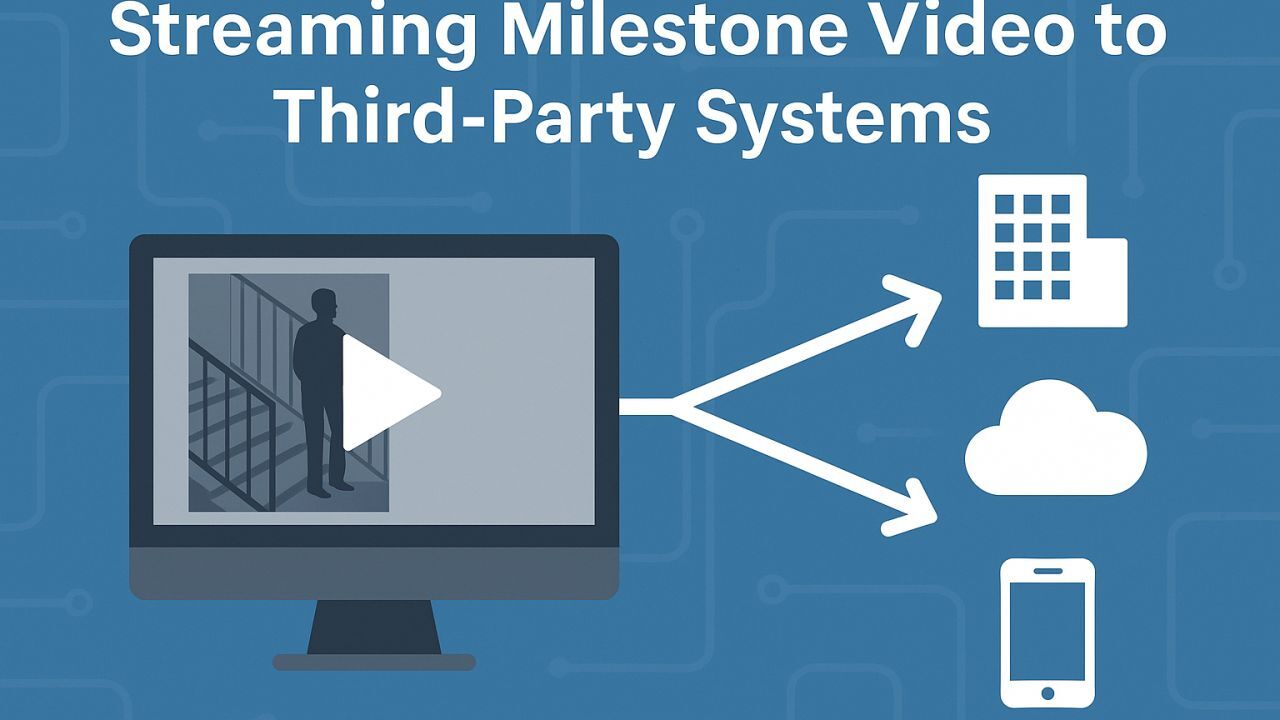
Have you ever been asked to pipe a Milestone XProtect camera feed into something not running XProtect? Perhaps a marketing team wants a live store feed on their website, or a security director wants drone footage streamed back to headquarters. For many, video streaming beyond the VMS can feel like arcane magic – a domain of YouTube gamers and IT wizards. But fear not: streaming out is achievable, and it’s becoming a must-have skill. In this guide, we’ll explore how to get those precious camera ones and zeroes from your XProtect system over to third-party platforms or sites. We’ll recap the key streaming protocols (in case your eyes glazed over during Networking 101), examine real-world use cases for outbound video, review the built-in tools Milestone offers (and their quirks), and shine a light on an all-in-one solution that can make your life easier. Finally, we’ll wrap up with some practical deployment tips and a reminder of why mastering video streaming is now part of being a well-rounded security professional. Let’s dive in!
Demystifying Video Streaming Protocols
Before tackling Milestone specifics, let’s refresh the basics: what are the common video streaming protocols we have at our disposal, and what makes each tick? (Video Streaming Technologies in the CCTV World: Where is the Future Headed?) Here’s a quick rundown:
-
RTSP (Real-Time Streaming Protocol) – The old reliable of CCTV streaming. Born in 1996, RTSP is a pull protocol used to establish and control media sessions between endpoints. It typically works with RTP media streams (often over UDP) to deliver low-latency video. Virtually every IP camera and VMS supports RTSP; it’s the backbone of most surveillance setups. The upside: it’s real-time and widely supported. The downside: out-of-the-box it lacks advanced error correction or encryption (though you can secure it with TLS as RTSPS). Also, if streaming over the internet, you’ll need to manage firewall/NAT traversal (usually via port forwarding) which can be a headache/pain in the butt.
-
RTMP (Real-Time Messaging Protocol) – The reformed Flash veteran. Originally developed by Macromedia in the early 2000s for Flash Player, RTMP is a push protocol that persists a TCP connection for low-latency transmission. Despite Flash’s demise, RTMP lives on as the go-to for ingesting live streams to cloud platforms (YouTube, Facebook Live, etc.). It sends video with minimal delay and can more easily traverse firewalls by using a single outbound port (often 1935 or wrapped in HTTP). Modern uses typically involve RTMPS (RTMP over TLS) for security. In short, if you need to send a live feed out to a streaming service, RTMP is your friend – it’s straightforward, though not as ultra-low-latency as newer tech.
-
HLS (HTTP Live Streaming) – The scale king of streaming. Introduced by Apple in 2009, HLS works by breaking the video into a sequence of small file chunks (often 2–10 seconds each) delivered over standard HTTP. This pull streaming method is extremely compatible – virtually all browsers, mobile devices, and players can handle HLS without special plugins. It’s great for reaching large audiences via CDNs and coping with different network speeds (clients can adapt between chunk streams of different bitrates). The trade-off? Latency. HLS typically incurs ~10+ seconds of delay due to buffering multiple chunks. So while it’s perfect for broad distribution (think public web streams or feeding a remote web dashboard), it’s not ideal if you need real-time control. Recent innovations like Low-Latency HLS aim to shrink delay, but HLS will never be as snappy as WebRTC or SRT for truly live interaction.
-
WebRTC (Web Real-Time Communication) – The low-latency web hero. WebRTC is a relatively recent (circa 2011) open standard championed by Google that enables peer-to-peer audio/video streaming in browsers with sub-second latency. It uses UDP under the hood and clever tech (STUN/TURN servers, NAT punching) to connect clients directly. The beauty is that it’s plugin-free – any modern browser can be a sender or receiver – and it was designed for interactive chats, meaning delay can be as low as ~500 milliseconds or less. Fantastic, right? The catch: it’s complex to implement and scale. WebRTC shines for one-to-one or one-to-few streams (e.g. a drone operator streaming to a command post with two or three viewers who need instant control feedback). But it’s not so simple if you want to broadcast one-to-many (you’d need a media server or SFU to distribute it). Also, handling WebRTC in a custom integration means wrangling signaling and possibly dealing with firewall issues (it usually works, but corporate networks can occasionally block peer connections).
-
SRT (Secure Reliable Transport) – The rising star. SRT is an open-source protocol introduced by Haivision in 2017, purpose-built to securely stream high-quality video over less-than-perfect networks. It operates over UDP and incorporates mechanisms for error recovery, jitter buffering, and encryption. Think of SRT as an evolution of the best of RTMP and RTSP: it’s low-latency like RTMP/RTSP but much more resilient on unstable links (like the public internet or cellular) thanks to forward error correction and ARQ (retransmit lost packets) logic. It’s also end-to-end encrypted by default (AES), which appeases the IT security peeps. SRT can work in caller/listener modes through firewalls fairly easily (often only needing an outbound UDP port open). In practice, SRT is great for site-to-site video links – for example, sending a camera feed from a remote branch to a central monitoring center over the internet with minimal delay and no VPN required. Many see SRT as the future for CCTV streaming in multi-site deployments, and support for it is growing fast (major VMSes, encoders, and even cameras are adopting it).
In summary, each protocol has its niche: RTSP for local real-time viewing or standardized pulling, RTMP for pushing to cloud platforms, HLS for easy widespread viewing (with patience for latency), WebRTC for interactive ultra-low-latency needs, and SRT for secure, reliable transport across messy networks. The good news is that when streaming from Milestone XProtect, we can leverage many of these protocols in one way or another. Keep them in your back pocket as we move forward.
Why Stream Out? Key Use Cases
You might wonder, “Our VMS already records and displays video fine, so why stream it elsewhere?” In modern security and IoT deployments, there are plenty of reasons to share or repurpose video beyond the confines of the VMS. Here are some real-world scenarios where outbound streaming from XProtect can be a game-changer:
-
Drone Feeds to Remote SOCs: Drones are rapidly being adopted for surveillance patrols and incident response. Suppose a security team deploys a drone at a remote site – they want the live feed back at the Security Operations Center (SOC) in real time. Rather than setting up a whole new VMS or relying on consumer apps, they can stream the drone’s camera into XProtect and then push that video to the SOC’s system. For example, a drone’s controller might output RTMP or SRT, which you can ingest and forward to the SOC over a secure link. This way, the central operators see what the drone sees, within their familiar interface, and can coordinate effectively during an incident miles away.
-
Cloud-Based AI/Analytics Integrations: Video analytics often require heavy compute power or specialized algorithms, and many cutting-edge solutions are cloud-based. Instead of adding a local server for, say, license plate recognition or people counting, you might use a cloud service – but that means sending it video. With outbound streaming, an XProtect camera feed can be broadcast to a cloud AI engine in real time. For instance, you could stream a store’s camera up to an AWS or Azure AI service using RTMP or SRT, have the cloud crunch the video for object detection, and even receive back events or augmented data. The live video thus isn’t only stored for forensic use – it’s actively driving business intelligence or automated decisions in the cloud. This kind of integration can unlock advanced features without on-prem hardware, but it absolutely relies on robust streaming out of the VMS.
-
Event-Based Temporary Sharing (Marathons, Command Centres): Consider a city marathon or a large public event. Multiple agencies (police, event organizers, emergency services) may need access to certain CCTV cameras just for the weekend. Rather than creating a complex multi-site VMS federation for a short-term need, you can temporarily stream those relevant camera feeds to a command centre or even a web portal. For example, an integrator might set up HLS streams of downtown cameras that authorized officials can view in any web browser during the event. After the event, the streams are turned off. Another case: in an emergency or crisis, you might quickly spin up a WebRTC or low-latency stream from a critical camera to share with first responders who don’t have XProtect access – giving them situational awareness on their phones or tablets instantly. In all these cases, streaming provides flexibility to extend video access on the fly without rearchitecting your core system.
-
Retail Analytics Overlays: Retailers increasingly want to blend video with data to understand customer behavior. Imagine a retailer who has a third-party analytics system that generates overlays – say, bounding boxes around VIP shoppers or heatmaps of store traffic – and they want to see these on the live video. One way is to send the camera feed to that analytics system (maybe it’s a local server or cloud app) via RTSP/SRT, let it draw on the video or analyze it, and then either send the annotated video back or have the system’s dashboard pull the same feed. For instance, an occupancy counting system could subscribe to a camera via ONVIF or RTSP, compute the number of people in view, and display a live counter overlay on a monitor in the manager’s office. Or the analytics system might produce its own composite video stream (the camera plus graphics) that needs to be fed to a smart signage display elsewhere. In each case, streaming out unlocks the raw video so other tools can add value to it, turning surveillance into operational intelligence. The result might be a live video with data overlays that different departments (marketing, operations) can utilize beyond traditional security purposes.
These are just a few examples – the list keeps growing as video becomes a valuable resource across organizations. The common thread is that the video captured in XProtect doesn’t have to live only inside XProtect. By streaming it out (securely and reliably), you can multiply its usefulness, sharing it with whoever needs a live view, be it a colleague across town or an AI in the cloud.
Streaming Video from Milestone XProtect – Built-In Options
Milestone XProtect, being an open platform VMS, provides several methods to get video out to external systems. Each has its strengths and limitations. As an integrator, you’ll want to choose the right approach (or combine them) depending on the use case. Let’s look at the primary options XProtect offers out-of-the-box for outbound streaming:
-
Milestone ONVIF Bridge: This is a Milestone add-on service that acts as an ONVIF-compatible gateway to your XProtect system. In essence, the ONVIF Bridge exposes the cameras in XProtect as ONVIF-conformant video sources to any third-party client. An ONVIF-enabled NVR, VMS, or even an ONVIF camera viewer can connect to the Bridge and pull live or recorded streams from XProtect as if they were connecting to a standard ONVIF camera device. Under the hood, the ONVIF Bridge implements ONVIF Profile S (live streaming, PTZ control) and Profile G (playback) to serve video out of XProtect. It uses RTSP streams from the Recording Server to deliver the video to the ONVIF client. What’s great about this? It’s vendor-neutral and standardized – for example, law enforcement could use their ONVIF-compliant software to grab footage from a Milestone system during an investigation, or you could integrate XProtect cameras into another VMS that supports ONVIF input. The Bridge supports user authentication and respects permissions (so you can control who sees what). Keep in mind, you’ll need to install and configure the ONVIF Bridge service on your XProtect system and open its ports (default 580 for ONVIF service and 554 for RTSP). Also, streaming via ONVIF Bridge can add load to the servers (it’s essentially another client pulling video, potentially transcoding if the client requests a different resolution). Still, for quickly sharing video with any ONVIF-friendly system, the ONVIF Bridge is a powerful built-in tool – it delivers live video, playback, and even basic PTZ without any custom coding.
-
XProtect Mobile Server (Web/Mobile Streaming): The Mobile Server is the component that enables XProtect’s web client and mobile app access. It can also be leveraged for third-party streaming scenarios, especially if a custom app or web page needs video. Historically, the Mobile Server works by transcoding camera feeds into JPEG images or MJPEG streams for consumption by web browsers or mobile devices (since not all could natively decode H.264). This made it a bit of a CPU hog on the server, especially as users scaled up. However, newer versions of XProtect introduced Direct Streaming, which passes the native video stream (H.264/H.265) directly to capable clients, avoiding that heavy transcoding. In practical terms, if you have XProtect 2022 or later and an updated Web/Mobile client, the Mobile Server can let the client pull an H.264 stream straight from the Recording Server (with the Mobile Server just brokering the connection). This drastically reduces CPU usage and latency on live view, since you’re not converting to a series of JPEGs server-side. For third-party use, you could develop against the Mobile Server’s API (Milestone provides an SDK for Mobile Server) to fetch streams or even recorded video as needed. For example, if you’re building a custom web dashboard for a client, you might use the Mobile Server’s MJPEG stream endpoint or its newer HLS support (in recent versions) to embed live video. The key point: Mobile Server is your gateway for HTTP/HTML5-friendly streaming. It handles authentication, can downsample video if needed, and is already tuned for remote access. Just remember to enable direct streaming in the Management Client (under Mobile Server performance settings) if the clients support it, so you get the most efficient path. If direct streaming isn’t available (older system or client), be mindful that the Mobile Server will be transcoding – in those cases, beefy hardware or GPU acceleration (QuickSync/NVENC) for the Mobile Server is recommended to handle multiple streams. In summary, for integrations that involve web browsers or mobile apps needing Milestone video, the Mobile Server is usually the component to work with, either via the official clients or through the available API/SDK.
-
MIP SDK (Custom Integrations via API): For ultimate flexibility, the Milestone Integration Platform SDK lets you retrieve video streams and data directly from XProtect in a custom program. This is a route for developers to pull video and then push it out in whatever manner needed. For instance, you could write a small .NET service that uses the MIP SDK’s Live Video APIs to grab frames from Camera X and then re-stream them as RTMP to YouTube or as an MJPEG to a web page. In fact, before Milestone provided any built-in bridging, many integrators did exactly this – essentially rolling their own mini streaming gateway by combining the SDK with open-source streaming libraries. The MIP SDK approach is powerful because you’re not constrained to ONVIF or the Mobile Server’s capabilities; you can integrate with any protocol or service if you have the know-how. The downside is of course you have to code it and maintain it. It’s not “click and go.” There’s also the issue of scalability – a custom app pulling a lot of streams needs to be carefully designed to avoid overloading the Recording Servers or network. Milestone doesn’t natively provide a one-click “stream to YouTube” feature (at least not at the time of writing), but they explicitly note that with the SDK you can build an app to retrieve video and send it to a third-party platform. In other words, the tools are there, but you have to assemble the solution. For some integrators, that’s part of the fun; for others, it’s a bit daunting. This is where third-party plugins (like the one we’ll discuss next) come into play – they essentially save you from having to reinvent the wheel via the SDK by providing ready-made streaming functionality. Still, it’s good to remember that with MIP SDK access, you can create highly tailored streaming integrations – e.g., maybe you want to watermark the video or add telemetry data before sending it out; with a custom app you can process the feed however you want. This route is best when you have very specific requirements that aren’t met by ONVIF Bridge or Mobile Server, and you have software development resources available.
The ONVIF Bridge, Mobile Server, and MIP SDK cover the majority of third-party streaming needs. Each method can even complement the others – for example, you might use ONVIF Bridge to let another VMS pull video continuously, while simultaneously using the Mobile Server for a custom web app and an SDK-based service to push to the cloud. The beauty of an open VMS is you’re not stuck with a single way. But if all these options seem a bit scattered, you’re right – and that’s why some clever folks (full disclosure: including our team) have packaged these capabilities into more integrator-friendly plugins. Which brings us to…
ORBNET Streaming Engine – All-in-One Streaming Solution
If you’ve ever wished that streaming video out of Milestone could be as easy as, say, right-clicking a camera and hitting “broadcast,” you’re not alone. Recognizing the need for a more seamless way to share XProtect video, ORBNET Systems (yes, that’s my outfit) developed the ORBNET Streaming Engine – a plugin and service that rolls up a lot of streaming functionality into one robust solution. I’ll keep the sales pitch minimal and focus on what it does, because it directly addresses many challenges we’ve discussed.
At its core, the ORBNET Streaming Engine is designed to provide an efficient, reliable 24/7 streaming pipeline out of XProtect. In fact, it was initially created as an improved alternative to Milestone’s ONVIF Bridge, with an emphasis on guaranteed uptime and resiliency. High-security sites where video must never drop (think critical infrastructure) are using Streaming Engine in production, which speaks to its stability – it can run continuously with minimal CPU usage while handling multiple feeds. How do we achieve that? The engine is built as a standalone Windows service (running alongside XProtect) that taps directly into the VMS’s video streams and outputs them in various formats, without unnecessary transcoding when possible.
Multi-Protocol Support: One of the biggest advantages of Streaming Engine is that it supports basically all the major streaming protocols out of the box. Need to send a camera to YouTube or a CDN? It speaks RTMP. Want a standard RTSP/RTSPS link for a third-party system? One click and you have an RTSP URL. Need ultra-low latency or to punch through the internet? It offers SRT and even WebRTC output. Plus, it can serve HLS streams and even simple MJPEG over HTTP. This means you don’t have to choose ahead of time – the same camera could be streamed via multiple protocols simultaneously. For example, you could have an SRT stream going to a remote site and at the same time start an HLS stream for a web browser client. The plugin takes care of handling the sessions, ports, and conversions if needed. Essentially, you get a Swiss Army knife of streaming attached to your XProtect.
Ingestion and Re-Streaming: Not only does it output video, but Streaming Engine can also ingest streams into XProtect. Suppose you have an external RTMP or SRT feed (maybe from a drone or a body-worn camera) – Streaming Engine can pull that in and inject it into XProtect’s recording server via our companion “ORB Driver”. This effectively treats external feeds as if they were cameras in XProtect. This is huge for scenarios like multi-site connectivity: one site’s engine can push a feed via SRT to another site’s engine, which ingests it. No need for both sites to be on Corporate with Federated Architecture – even Express + or Professional+ sites can share video with each other using Streaming Engine as the bridge, since the ORB Driver works like a universal camera driver. This opens up interconnect solutions “without the need for XProtect Corporate at the head-end”, as we like to say.
Ease of Use: We built it with integrators in mind, so there’s a Management Client plugin for configuration and one-click streaming. You can enable a stream on any camera with a checkbox, and the system will generate the streaming URL or feed. For instance, to get an RTSP link for Camera 1, just enable it and copy the URL (it’ll look like rtsp://<engine_server>/Camera1/...). You can even request playback via RTSP by specifying a time in the URL – great for sharing a recorded clip quickly. For RTMP, you can paste in a stream key (like YouTube’s) and hit “Start” – the engine handles the rest, even using YouTube’s API to create the live broadcast if needed. The emphasis is on minimal clicks to get a live stream out. Integrators who have set up YouTube streaming the old manual way will appreciate that this plugin removes a lot of the tedious steps (no external encoding software needed – the camera feed goes straight from XProtect to YouTube through the engine).
Reliability and Redundancy: Streaming Engine is built to recover gracefully from network blips or server failovers. If a Recording Server fails over, the engine notices and keeps the stream alive with the new server. You can also install multiple engine instances (services) on different machines for high availability – they can share the load or act as backup. There’s even a proxy chaining feature, where one Streaming Engine can forward to another, hopping across network zones if needed. All streams can be encrypted (SRT, RTSPS) and you can import certificates for TLS so that third-party clients trust the connection. We’ve basically tried to anticipate the nasty real-world problems (network outages, hardware reboots, etc.) and make sure streams automatically resume whenever possible.
Feature Highlights: To list a few more goodies: you can select which native camera stream to use (if the camera has multi-stream, e.g. high and low res) by just adding stream=2 in the URL – no need to duplicate devices. It supports audio (AAC or G.711) alongside video if your cameras have microphone. There’s a built-in Timelapse function that can periodically grab JPEG snapshots from cameras and store them, which is handy for project monitoring (e.g., construction site time-lapse). It provides a REST API that other systems can use to toggle streams or fetch a list of available feeds – for example, an alarm management system could call the API to start a stream on alarm and get a URL to include in an alarm notification.(Our own Alarm Server plugin does exactly that, embedding a short clip URL into alarm emails). And yes, it even does WebRTC. The Streaming Engine basically centralizes all these capabilities, so you don’t have to configure ONVIF Bridge, then separately set up an RTMP encoder, then another service for SRT, etc.
To put it succinctly, the ORBNET Streaming Engine turns XProtect into a streaming hub. You get the convenience of one solution to cover streaming to other VMS platforms, control rooms, public or private clouds, browsers, and so on. The feedback from integrators has been positive – tasks that used to require custom coding or kludgy workarounds can now be done in a supported, off-the-shelf way. Plus, because it’s purpose-built for Milestone, it taps into the system efficiently (it’s leveraging the native video pipelines, so it won’t unnecessarily transcode video if it doesn’t have to, for instance).
For clarity, let’s relate back to the use cases and built-in methods: With Streaming Engine installed, you could handle all the earlier scenarios like so – Drone to GSOC? Use SRT out from the field XProtect to send the drone cam to central XProtect (no Corporate needed). Cloud analytics? Spin up an RTMP push to the cloud AI server (with a fallback engine instance for redundancy). Temporary event sharing? Generate an HLS link or WebRTC session and give the external team a simple web page to view it. Retail overlays? Ingest the analytics’ stream or provide an RTSP feed to the analytics system with one click. It’s about making these workflows plug-and-play rather than bespoke projects each time.
(Alright, sales mode off! But as you can tell, I’m excited about what this tool can do, because I’ve been on the other side working in Support, cursing at why something as fundamental as streaming had to be so convoluted. This is our attempt to simplify it.)
Practical Tips for Successful Streaming Deployments
Whether you use built-in methods or a third-party solution like Streaming Engine, there are some practical considerations to keep in mind when deploying streaming for real. Streaming video outside the safe confines of a LAN can introduce new challenges. Here are a few tips and best practices to ensure smooth sailing:
-
Network & Bandwidth: Evaluate your network paths carefully. Streaming, especially multiple feeds, can consume significant bandwidth. If you plan to push a 1080p stream to a remote site continuously, ensure the uplink can handle it along with other traffic. Consider using adaptive bitrate (HLS) or secondary low-res streams for bandwidth-constrained links. Also, decide on unicast vs multicast thoughtfully – almost all these protocols (RTSP, SRT, etc.) are unicast (one-to-one). If you need to send one feed to many viewers, sending a unicast stream to each will multiply bandwidth; you might instead stream once to a server that can redistribute (like a CDN or a media server). In low-bandwidth scenarios or across WANs, protocols like SRT or RTMP (with their buffering) will outperform raw RTSP. And don’t forget about data charges if using cellular/4G routers for streaming (drones often do) – a 4 Mb/s stream will eat roughly 2 GB per hour.
-
Firewall and NAT Traversal: Plan how your streams will traverse firewalls. By default, RTSP will require opening inbound ports on the server side (unless using something like ONVIF Bridge which defaults to 554). RTMP is easier if you’re pushing out – since it’s the Milestone side initiating an outbound connection to e.g. YouTube, usually only outbound port 1935 or 443 needs to be open. SRT can work either way (caller or listener); often you’ll have the central site be the listener on a known UDP port and remote sites push as callers. Coordinate with IT teams to open only the necessary ports, and use TLS/SSL where possible to appease security policies (RTSPS on 322, RTMPS on 443, etc.). If opening ports is undesirable, consider outbound-only approaches: RTMP to a cloud relay, or SRT in caller mode from the secure network out to a receiver in DMZ. Also, ensure static addresses or use a dynamic DNS for sites so that stream endpoints can find each other.
-
Security & Access Control: Treat streamed video as sensitive data – because it is. Use encryption whenever feasible (e.g. enable RTSPS or use an SRT passphrase). If using ONVIF Bridge, set strong usernames/passwords for the ONVIF accounts and only enable the needed cameras. When sharing HLS links, realize that an m3u8 link could be forwarded; you might want to put it behind a simple web portal with auth or use expiring tokens if possible. For YouTube or public platform streams, understand it’s essentially open (unless you mark it unlisted or private). Always get sign-off about where video is going – e.g. some customers might balk at streaming to any cloud service due to policy. Logging is your friend: Milestone and any plugin like Streaming Engine will log outgoing connections. That can help you verify that no unauthorized streams are active. Also, mind the content – if you’re streaming beyond surveillance, be aware of privacy (mask as needed) and compliance (GDPR etc., if applicable).
-
Latency Requirements: Align the protocol to the purpose with latency in mind. If an operator at Site A is actively controlling a PTZ camera at Site B via a stream, you need low latency – SRT in ultra-low-latency mode or WebRTC would be appropriate, giving ~1 second or less end-to-end. Conversely, if you’re just putting a store camera on a website for marketing, a 20-second delay (typical of HLS) is no issue and HLS would be the simplest method. One trick: if using HLS, you can often adjust the segment duration and buffer (smaller chunk sizes, fewer chunks buffered) to reduce latency, at the expense of maybe more buffering risk. With WebRTC, ensure your TURN server (if used) is geographically logical to avoid adding ping time. And remember, latency isn’t just protocol – it’s also network distance and processing. Test how much delay is introduced by each component (camera encoding, VMS, network, decoding) to pinpoint bottlenecks. In critical applications like drone piloting, every 100ms counts, so you might sacrifice resolution or use a direct point-to-point link to cut delay.
-
Load and Performance Testing: Always test your streaming setup under realistic conditions before promise to the end user it will work flawlessly. If you plan to have 5 ONVIF clients pulling 20 cameras each from XProtect, set that up in a staging environment and watch the CPU/memory of the servers. Or if using Streaming Engine, test a scenario of failover or network dropout: unplug the network for 30 seconds and see if the stream reconnects automatically (it should). Use tools like VLC player, ffmpeg, or test websites to connect to your streams and monitor quality over time. It’s much easier to iron out kinks (like a missing firewall rule or a mismatch of codecs) in advance than when everyone is watching on the day of an event. Logging and metrics can help – e.g., XProtect has a performance monitor, and Streaming Engine provides a dashboard of connected streams. Watch the bitrate and frame rate: ensure the stream you’re sending is what you expect. If you see huge fluctuations, maybe enable a constant bitrate on that camera’s stream or reduce resolution. Also, if streaming externally, consider the impact on recording – each outgoing stream might be pulling a full feed from the Recording Server, potentially doubling the load. Milestone’s recording servers can handle multiple subscribers well, but at some point, you might want to use a second network interface for outgoing video or even dedicate a proxy server for streaming so it doesn’t interfere with the critical recording throughput.
-
Fail-safes and Backup Plans: When streaming for mission-critical purposes, have a backup plan. For example, if you rely on an internet connection to stream to a remote center, what happens if that link goes down? Perhaps have a 4G backup router that can kick in, or an alternate lower-bandwidth stream (maybe a low-res JPEG stream over a tiny backup link) for emergency. If using a plugin or custom app, ensure it’s set as a service that starts with Windows, and maybe set it to auto-restart on crash. For ONVIF Bridge, consider running multiple bridges if one might become overloaded – you can configure more than one and load-balance cameras between them. Document the streaming config as part of the system handover: which ports, URLs, credentials are used – so that if something stops working, the next tech knows where to look. And don’t forget to monitor the streams: if a feed is meant to be live 24/7 to a remote site, you should have an alarm if it goes down (some engines can send a notification on stream failure, or you can use Milestone alarms if an event triggers when a client disconnects, etc.). Proactivity here saves frantic calls at 3 AM about a black screen(we've all been there!).
These tips might sound a bit like overkill, but streaming video outside your LAN introduces new variables, and as the integrator, you become the responsible party to make it all work reliably. A bit of planning and testing goes a long way to ensure that when the CEO wants to watch the warehouse cam from home, or the police need that drone feed during an incident, it “just works” when it matters.
Beyond Surveillance: The Value of Streaming and Closing Thoughts
It’s worth stepping back for a moment to appreciate why all of this matters. Traditionally, surveillance video was a closed loop – cameras feed into a VMS, operators watch on the wall, recordings sit in storage, end of story. But as we’ve explored, streaming video out breaks that wall and allows video to become a dynamic asset for an organization. A live camera feed can be shared with someone who doesn’t have (or need) a full VMS client – whether that’s a regional manager checking store traffic via a web link, or a city authority tapping into a public-space camera network during an emergency. Video can be combined with other data in real time – overlayed with maps, charts, or analytics results – to create situational awareness tools that go well beyond security monitoring. In short, streaming unlocks the full potential of video. It’s the difference between video being just recorded evidence versus being actionable intelligence.
For us integrators and security tech professionals, developing streaming competence is now almost as important as knowing how to hook up a camera. As new use cases emerge (the ones we listed and many more), clients will look to us for solutions to distribute and integrate video feeds in creative ways. Those who can say “Yes, we can get your video where you need it, securely and reliably” will stand out. It might be a bit outside the traditional CCTV comfort zone, crossing into IT/networking and media streaming – but that’s where the industry is heading. The good news: open platforms like Milestone give us the hooks we need, and tools like ORBNET’s engine (and others) are simplifying the process.
One could argue that streaming is the unsung hero of modern security systems – without it, all the fancy AI analytics or multi-site coordination wouldn’t be possible because the video would be stuck in a silo. As I quipped in a LinkedIn post recently, while everyone’s buzzing about AI in CCTV, streaming is the backbone that often gets overlooked. So, let’s not overlook it. By mastering streaming, we ensure that the right eyes (or algorithms) can see the right video at the right time.
To wrap up: embrace the streaming capabilities at your fingertips, test them out in your lab, play with RTSP, RTMP, SRT, etc., and don’t be afraid to mix solutions to achieve the outcome your client needs. There’s a certain satisfaction in seeing a live camera pop up smoothly on a platform that a year ago would have been considered impossible to integrate with. It reminds us that video’s value extends far beyond the security control room – and as integrators, we have the toolkit to deliver that value.
Author: Justin Butterworth
Date: April 10th 2025
Original Article